WordPress
Version 6.2 or newer with the block editor enabled.
Gutenberg Classes Cheatsheet helps developers create a controlled design system and lets content editors apply it without memorizing class names.
Before installation
Use a recent WordPress release, HTTPS, and a staging site when introducing a new CSS workflow to an existing project.
Version 6.2 or newer with the block editor enabled.
Version 7.4 or newer. PHP 8.x is recommended.
An administrator account is required to manage plugin settings and CSS projects.
Getting started
In WordPress, open Plugins → Add New Plugin → Upload Plugin and select wp-hunter-cheatsheet.zip.
Activate Gutenberg Classes Cheatsheet. A new Classes Cheatsheet item appears in the main admin menu.
Open Classes Cheatsheet → Entries and Styles. The plugin includes starter entries and a published Starter Utilities CSS project.
Edit a post or page, select a block, and find the Classes Cheatsheet panels in the block inspector.
Create a database backup first. Plugin migrations preserve existing entries, mappings, projects, tokens, and animation presets.
First workflow
Use a starter utility or add your own entry in Class entries and sets.
Create a CSS project, add the matching selector, validate it, and publish it.
Select a block and click the entry in the Classes Cheatsheet panel.
Use live preview, drafts, validation, and version history before publishing changes.
.wh-section-card {
  padding: var(--wh-space-md, 1rem);
  color: var(--wh-text-color, #1f2937);
  background: var(--wh-surface-color, #fff);
  border-radius: var(--wh-radius-md, 12px);
  box-shadow: var(--wh-shadow-md, 0 10px 30px rgba(15, 23, 42, .12));
}Visual tour
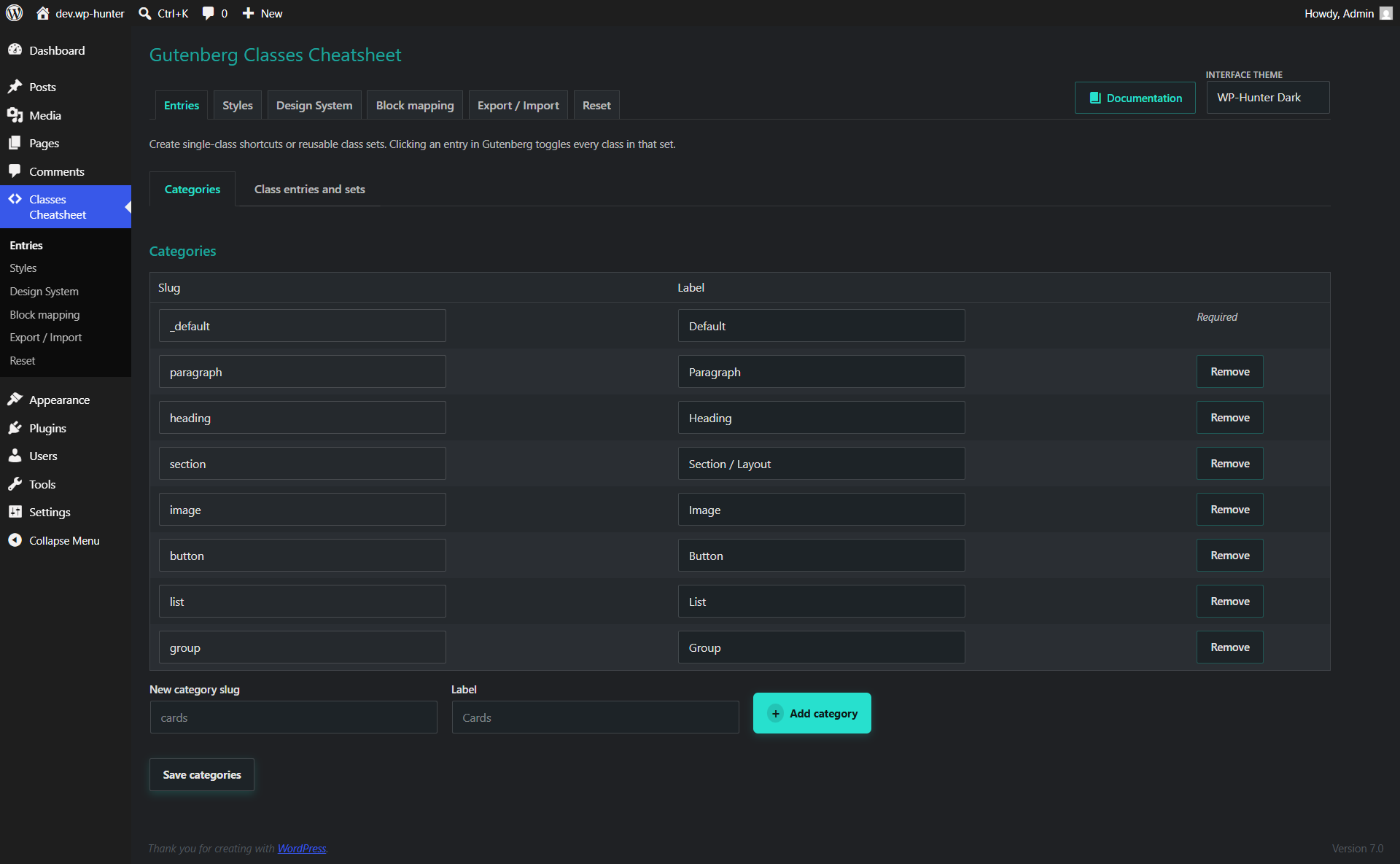
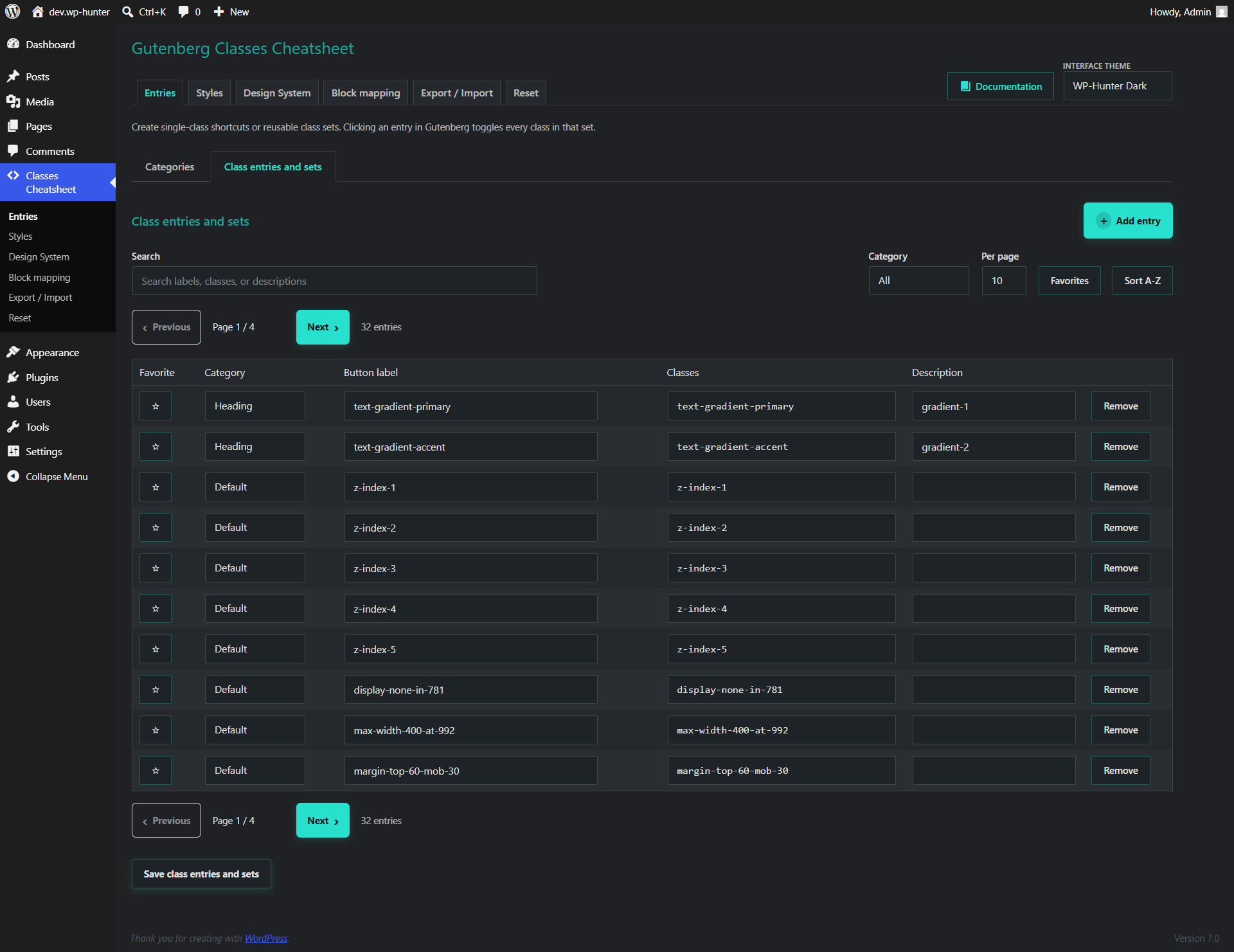
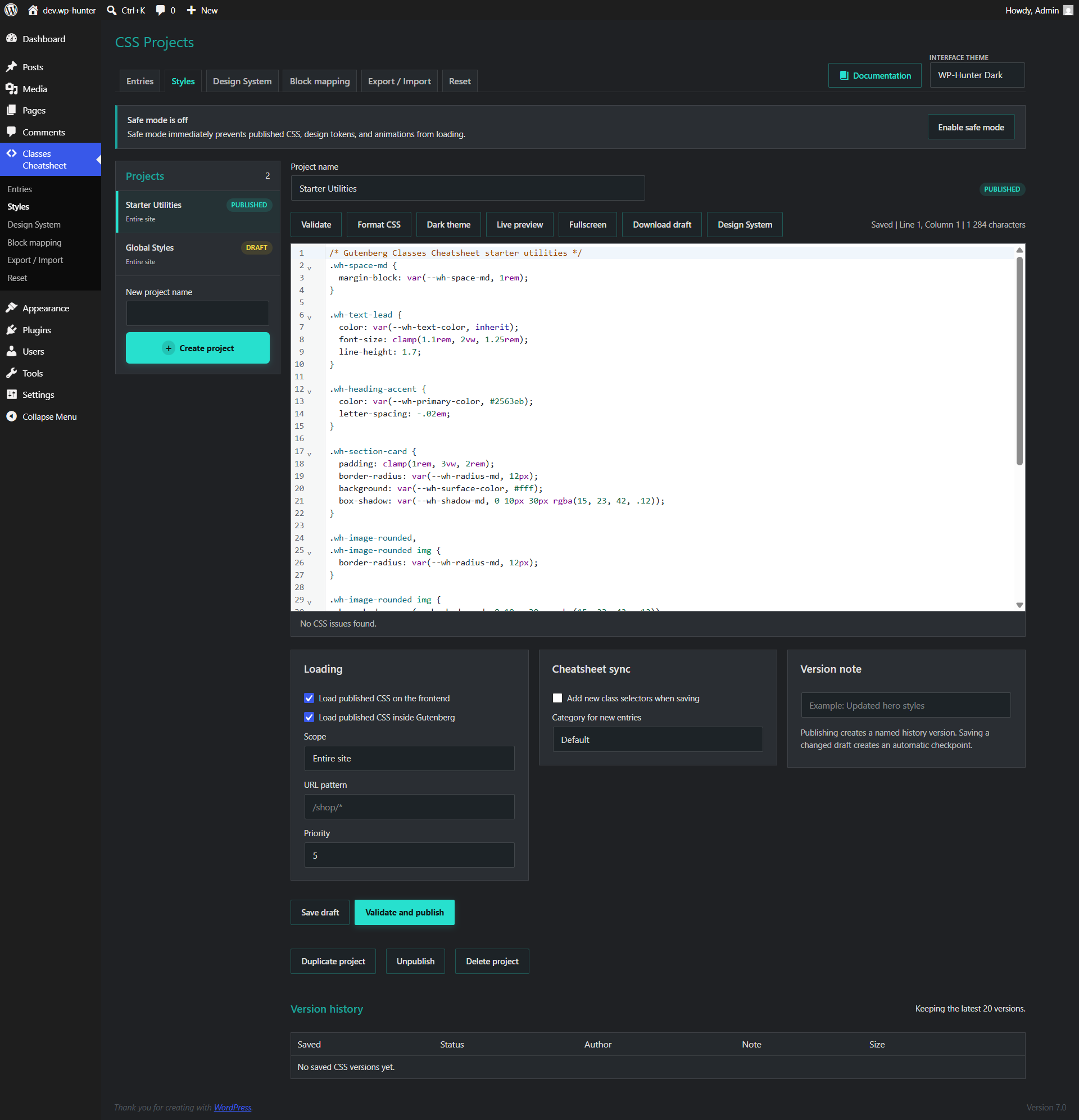
Use these screenshots as a quick visual map of the main admin screens and Gutenberg controls.
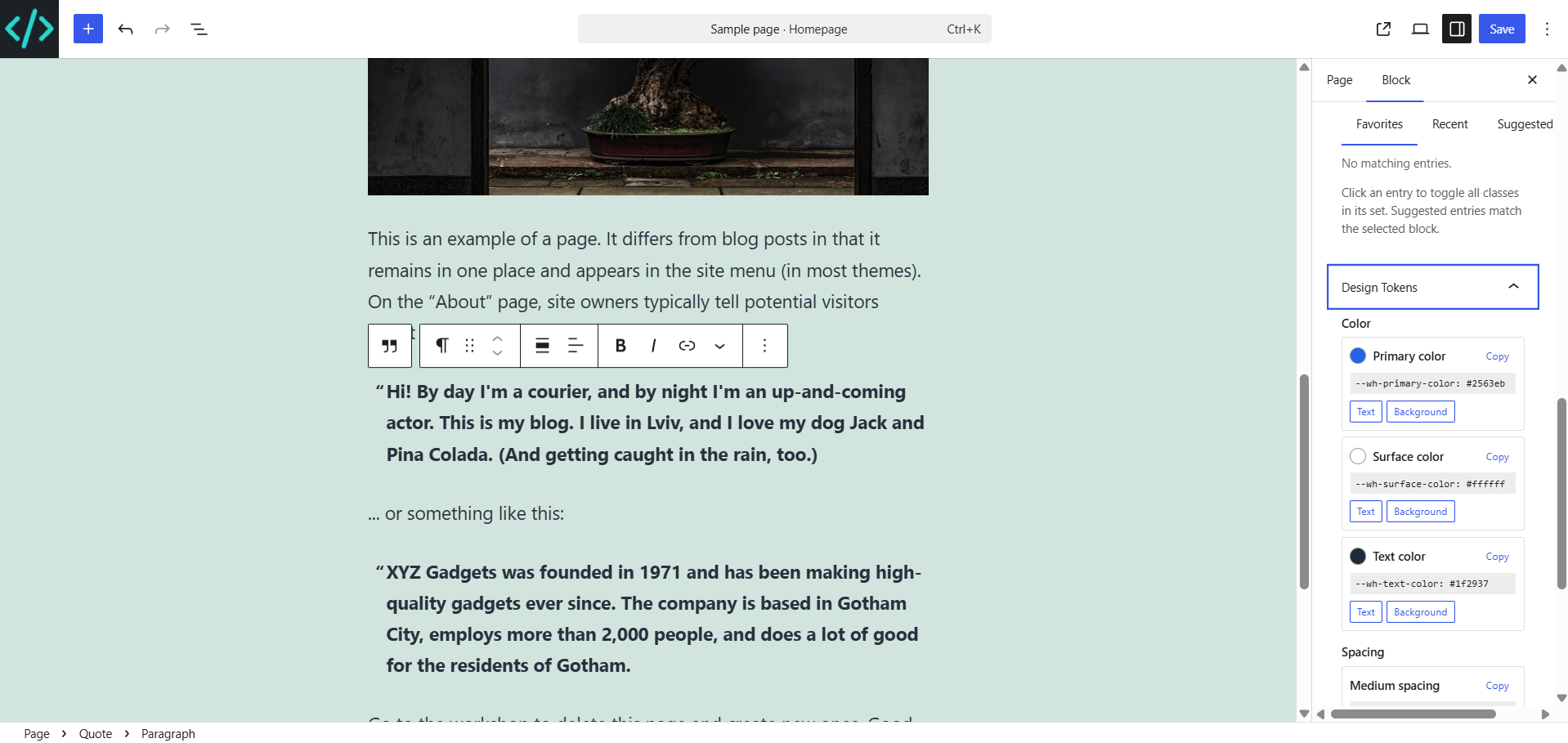
Editor experience
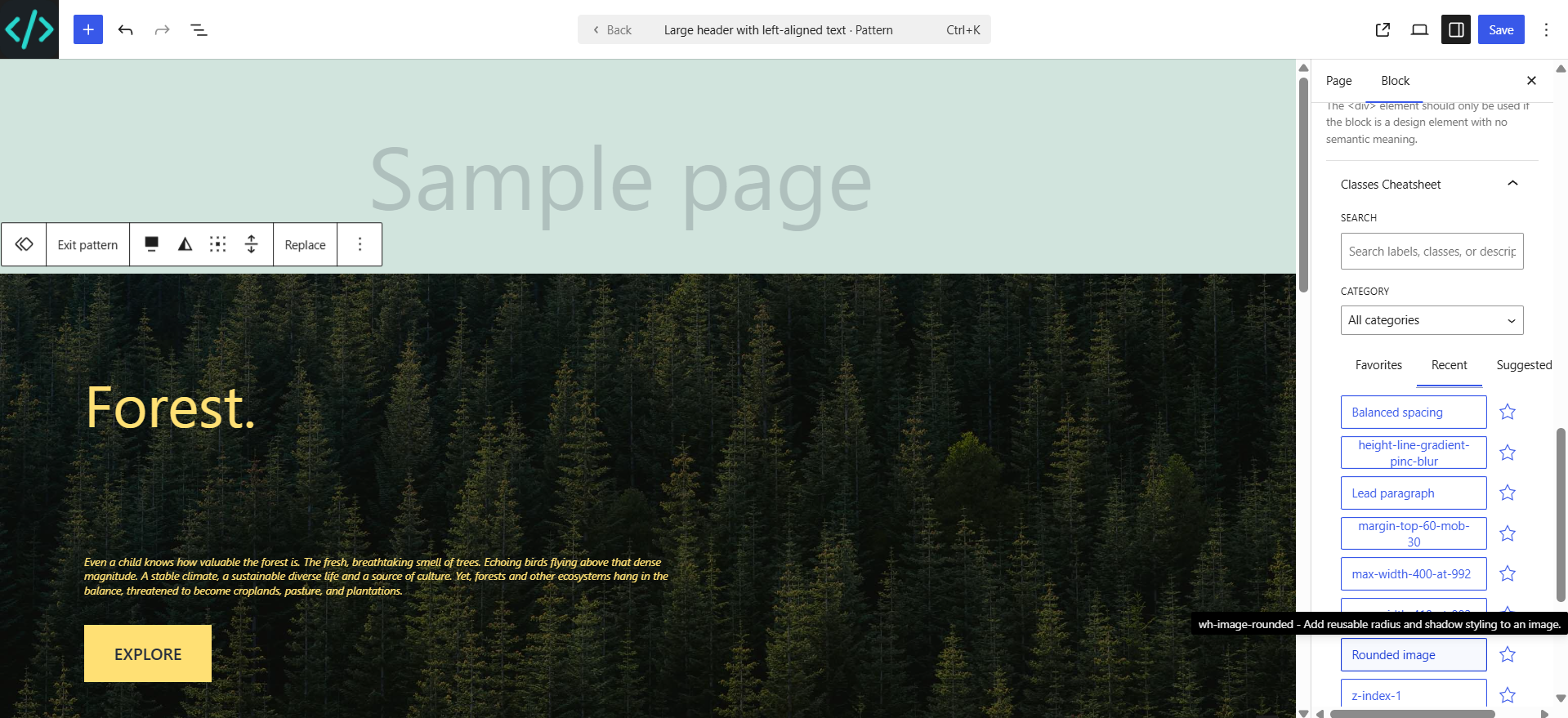
The plugin adds focused controls to the selected block's inspector. They are designed for both developers and content editors.
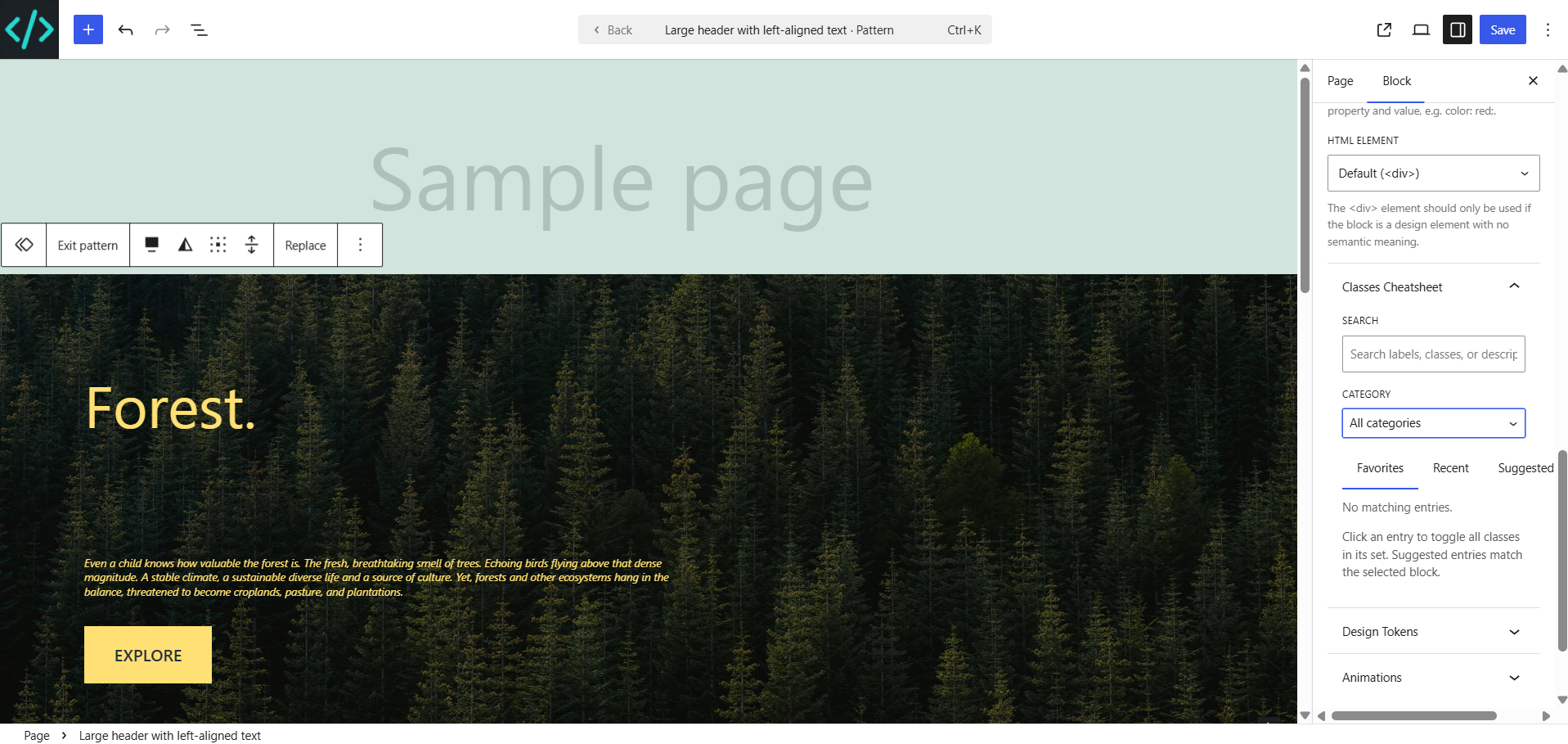
Keep frequently used entries one click away. Favorites are stored per WordPress user.
Quickly return to the latest applied entries and class sets.
See relevant entries based on the selected block and configured block mappings.
Search and filter the complete class library by category, label, class, or description.
Clicking a class set adds all classes in the set. Clicking it again removes the same set from the selected block.
Reusable class library
Open Classes Cheatsheet → Entries. Use the internal tabs to manage categories separately from class entries.
Categories organize the library and power block-specific suggestions. Default categories include Paragraph, Heading, Section, Image, Button, and Default.
Each entry includes a category, human-readable label, one class or a space-separated class set, and an optional description.
| Field | Purpose | Example |
|---|---|---|
| Category | Controls filtering and suggestions. | Button |
| Label | Friendly name shown to editors. | Primary button |
| Classes | One class or a reusable class set. | btn btn-primary is-large |
| Description | Explains when the entry should be used. | Main call-to-action |
CodeMirror 6 workspace
The Styles screen is a complete CSS workspace with independent projects, drafts, validation, preview, publishing, and recovery tools.
Save work as a draft, validate it, and publish only when it is ready.
Load a project globally or limit it by content type or URL pattern.
Test draft CSS against a live page at desktop, tablet, and mobile widths.
Compare saved versions and restore any of the latest 20 versions to a draft.
/shop/*.CodeMirror 6 provides standard CSS completion, bracket closing, diagnostics, and design-token suggestions when typing var(--.
Consistent design values
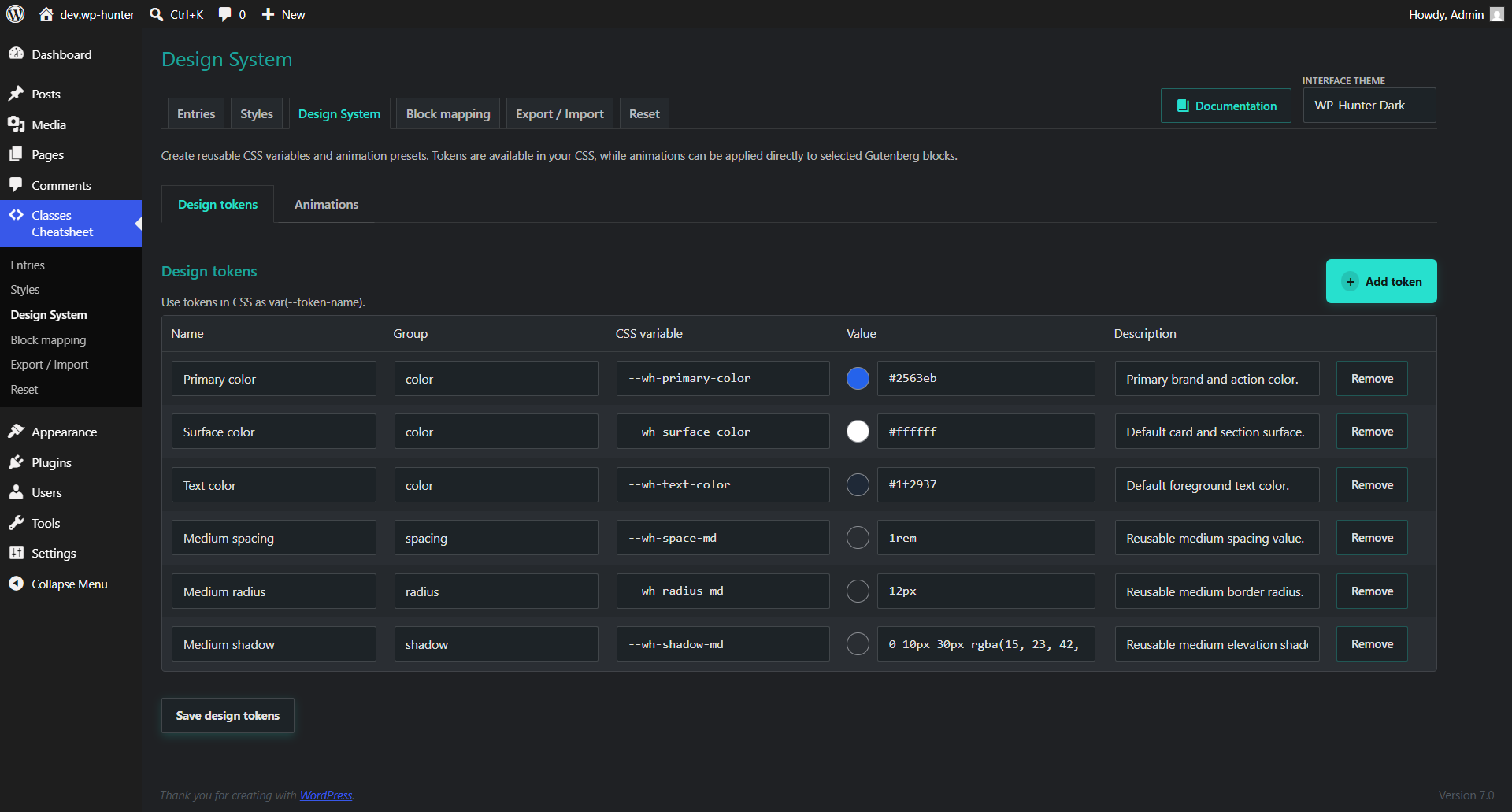
Design tokens are reusable CSS custom properties managed from Design System → Design tokens. They load globally and are available in CSS projects and Gutenberg.
.product-card {
  padding: var(--wh-space-md);
  color: var(--wh-text-color);
  background: var(--wh-surface-color);
  border-radius: var(--wh-radius-md);
}Define a controlled vocabulary for colors, spacing, radii, shadows, and other reusable values.
Copy any token or apply supported color tokens directly as block text and background colors.
Motion presets
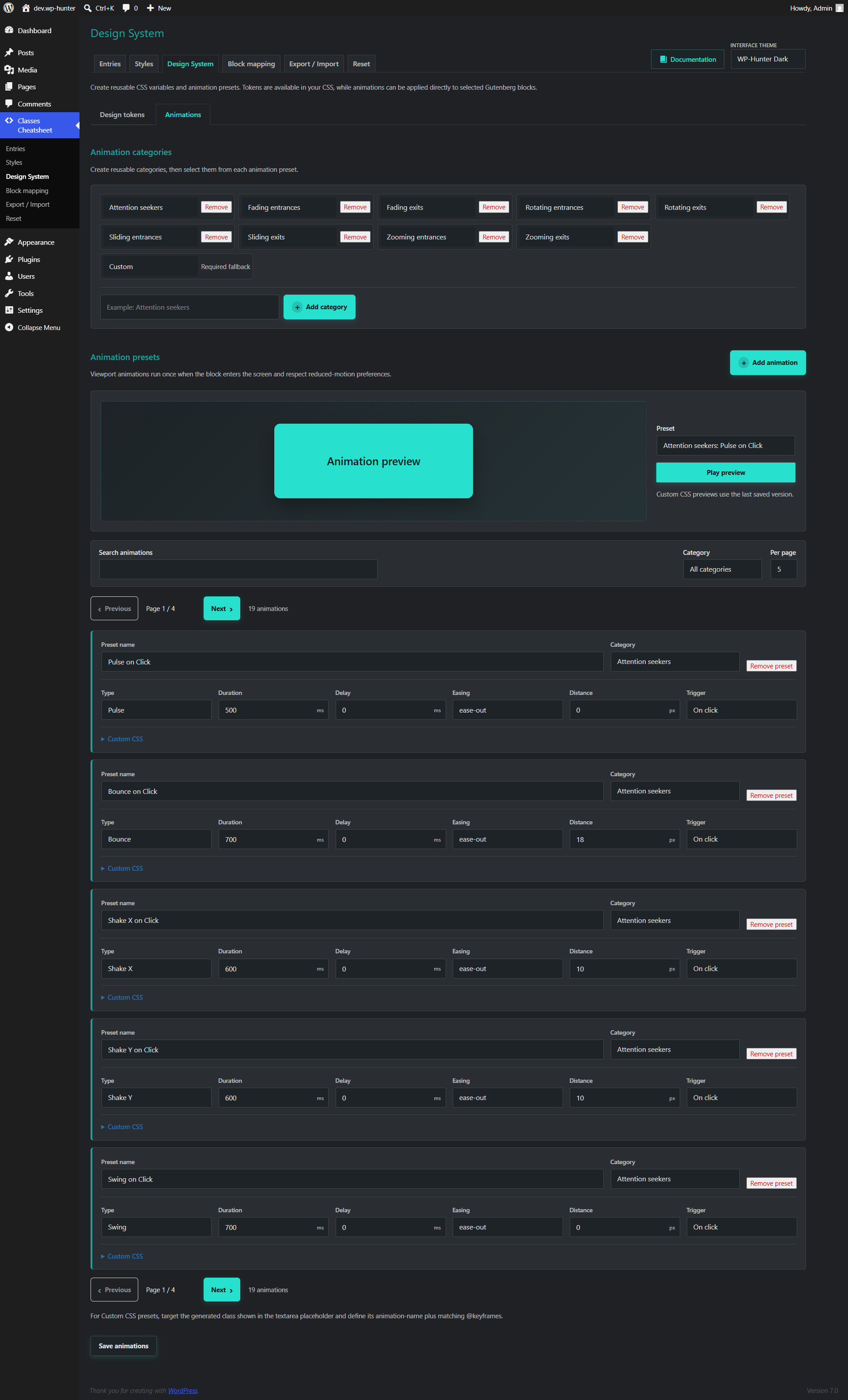
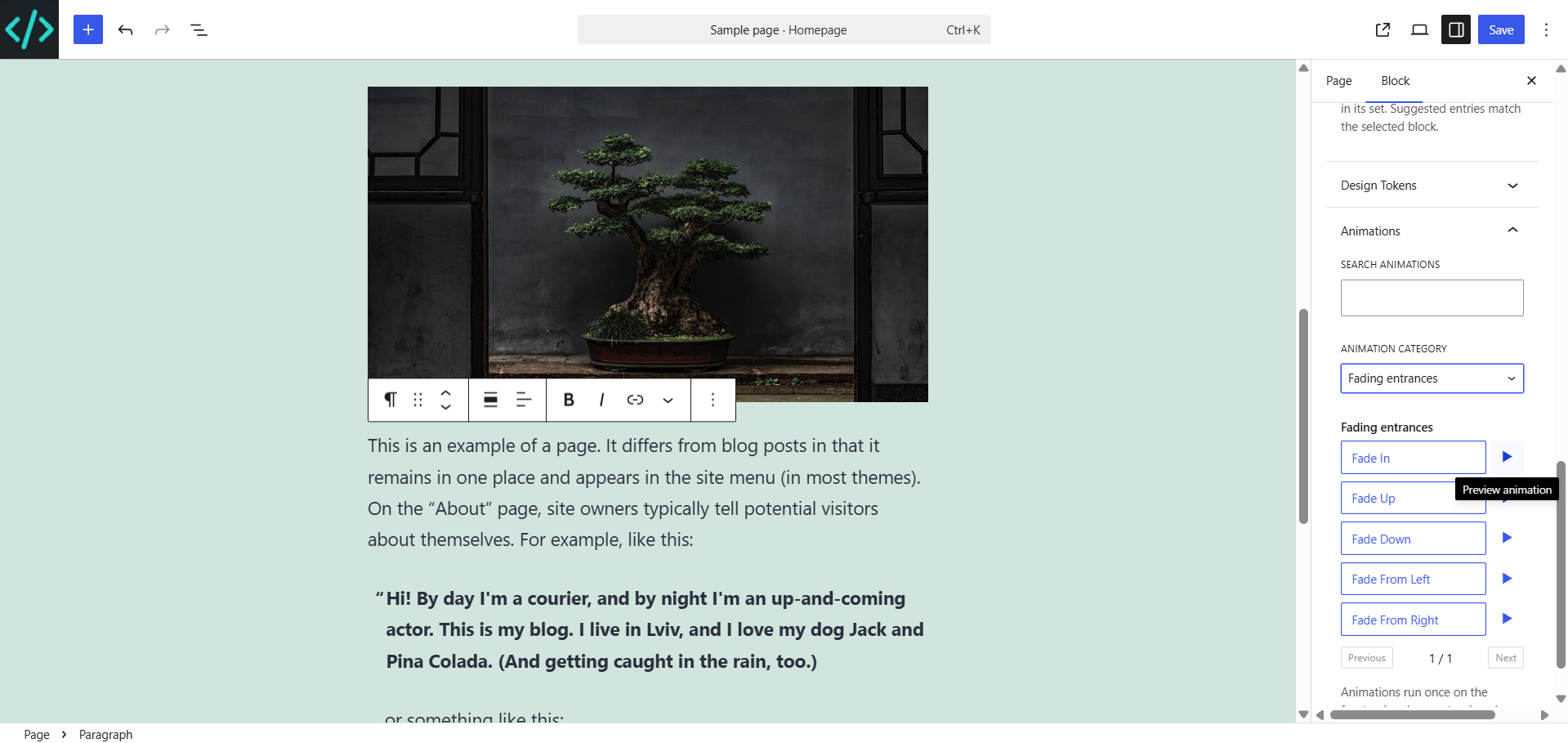
Create reusable animation presets in Design System → Animations, preview them in the admin area, and assign them to selected Gutenberg blocks.
| Trigger | Behavior | Recommended use |
|---|---|---|
| Viewport | Runs once when the block enters the viewport. | Sections, cards, headings, images. |
| Immediate | Runs when the page is ready. | Hero content and important notices. |
| Click | Replays each time the element is clicked. | Buttons and interactive blocks. |
Relevant suggestions
Block mappings connect registered Gutenberg block types to entry categories. When an editor selects a mapped block, matching entries appear in the Suggested view.
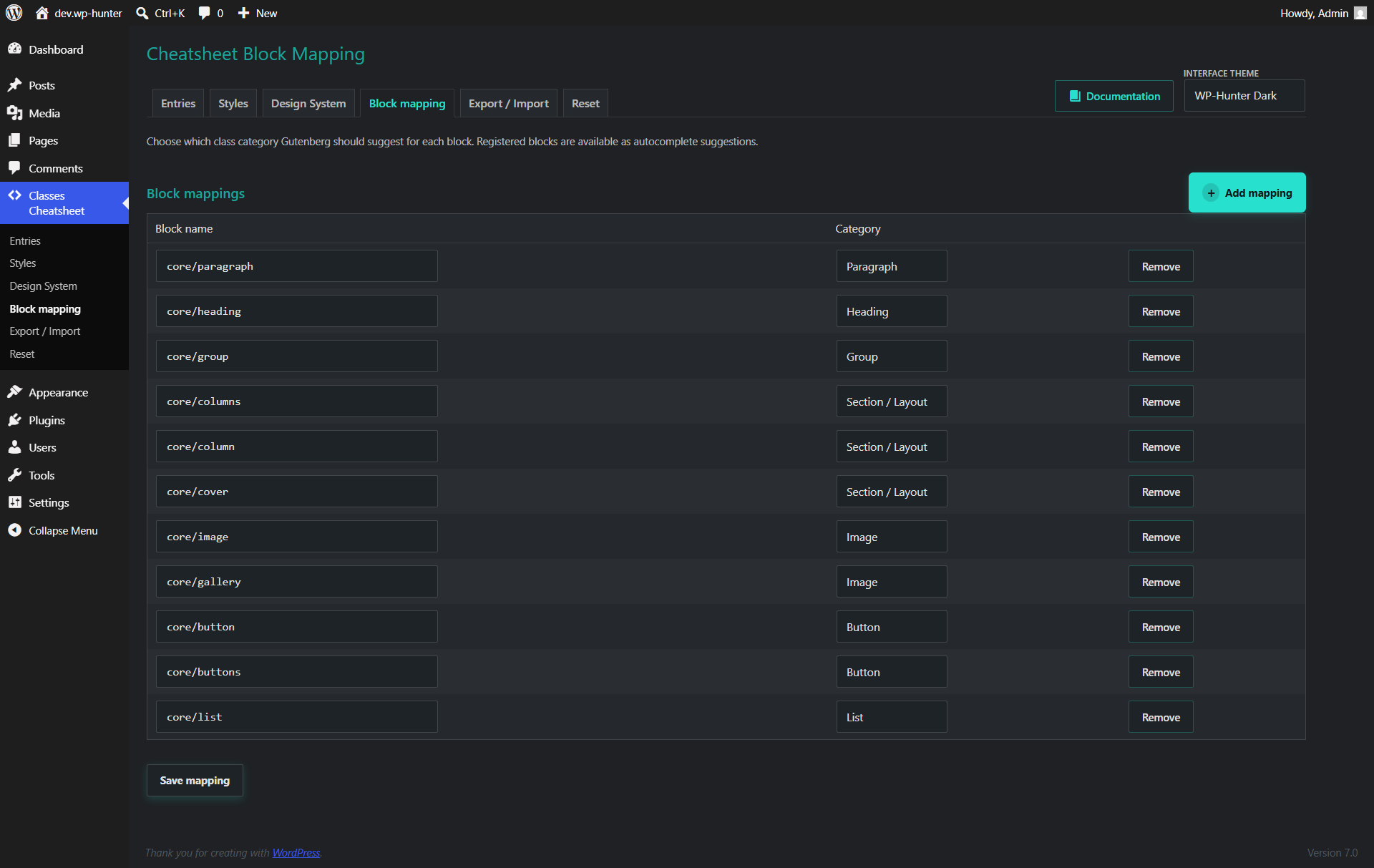
core/buttonButton
core/headingHeading
core/imageImage
Use the registered block suggestions to map blocks from other plugins and themes without guessing their internal names.
Move and protect configuration
The JSON transfer tool includes categories, entries, block mappings, design tokens, animation categories, and animation presets. CSS projects have their own draft download and version history.
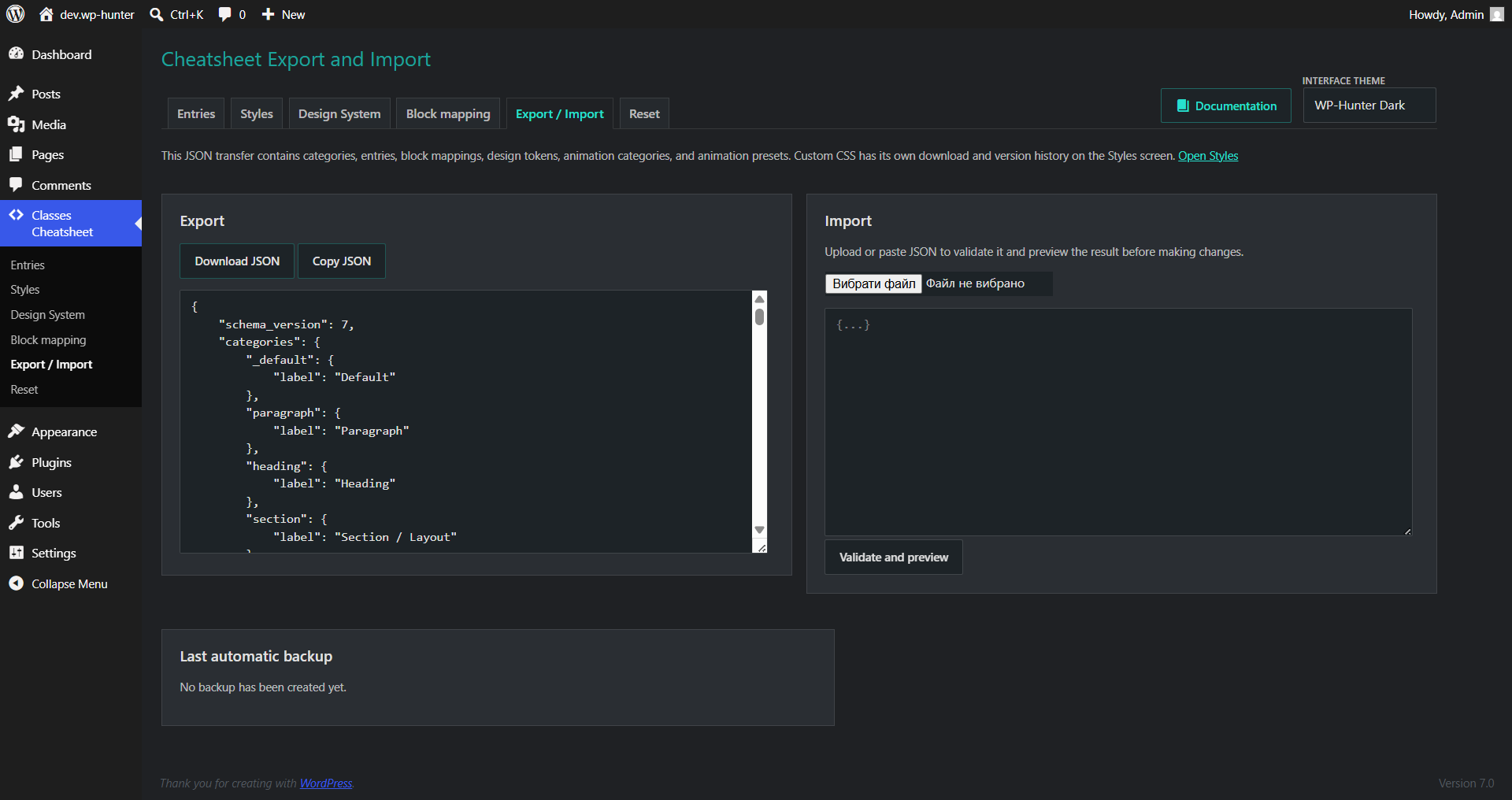
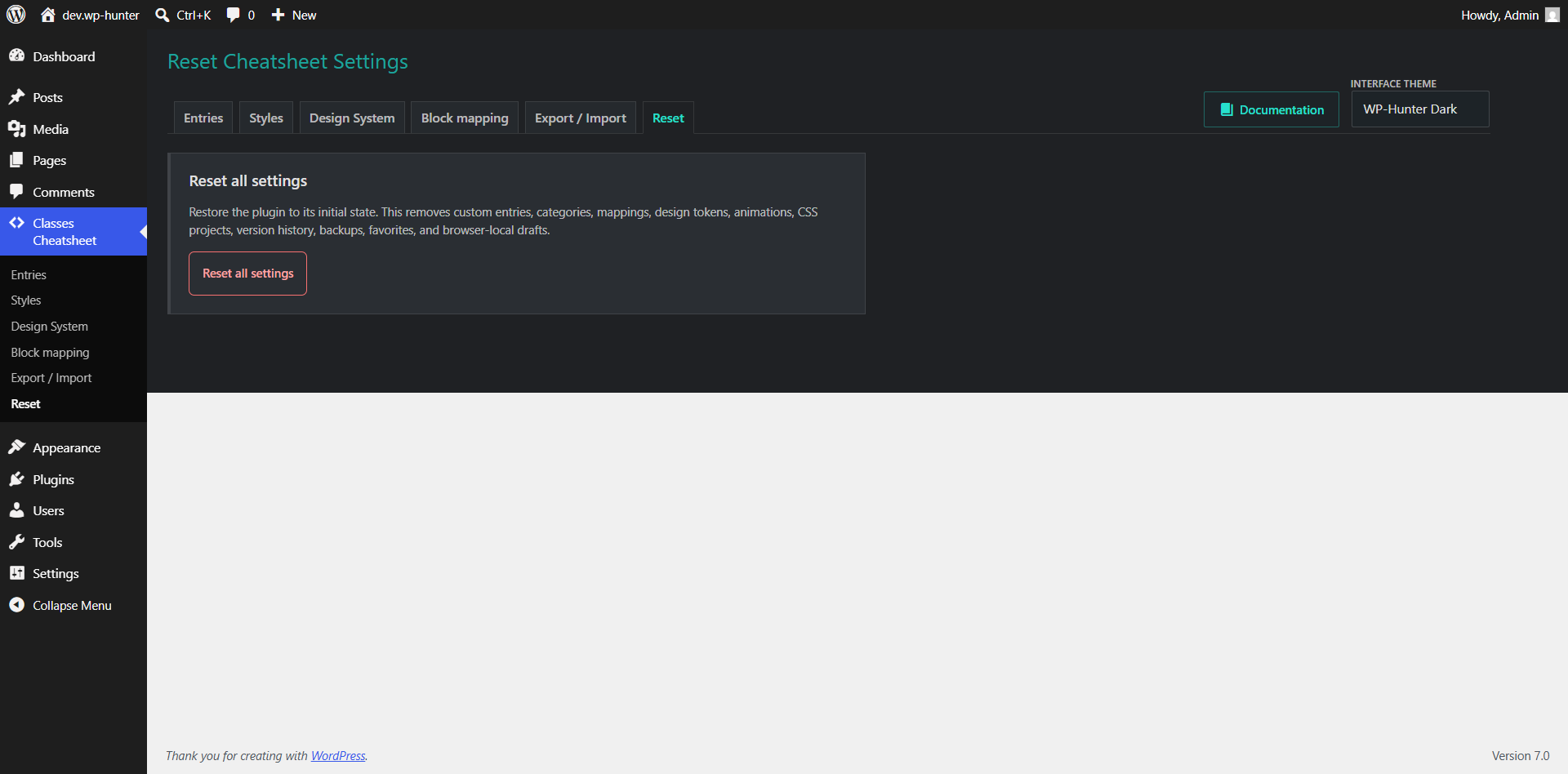
Create a portable JSON file for backup or another WordPress site.
Preview incoming data and merge it with the current configuration.
Replace current configuration after reviewing the import preview.
The reset action restores starter entries, mappings, design tokens, animation presets, and CSS projects. Export your configuration first if you may need it later.
Emergency control
Safe mode immediately prevents all published CSS projects, generated design tokens, and animations from loading. Use it when a style change affects site usability or access.
Faster editing
| Shortcut | Action |
|---|---|
| Ctrl / Cmd + S | Save the current CSS project draft. |
| F11 | Enter or exit fullscreen CSS editing. |
| Esc | Exit fullscreen mode. |
| Ctrl + Space | Open CodeMirror completion suggestions. |
Common solutions
Check that safe mode is disabled, the project is published, frontend loading is enabled, and the current URL matches the project's scope and URL pattern. Clear page and server caches after publishing.
Confirm that the selected block type is mapped to the entry's category. The entry remains available under All entries even without a mapping.
Confirm that the preset is assigned to the block, safe mode is disabled, and the browser does not have reduced motion enabled. For Click presets, click the animated block itself.
The browser has a newer unsaved local draft. Restore it to continue editing or discard it to keep the server version.
Enable safe mode, open version history, compare recent versions, and restore the last working version to draft before publishing it again.
Frequently asked questions
No. It improves the workflow around Gutenberg's existing class field by providing a searchable, reusable class library and design-system controls.
Yes. Add space-separated classes to create a reusable class set. The complete set is toggled when the editor clicks the entry.
Yes. Each CSS project has an independent scope, optional URL pattern, and priority.
Yes. Create entries or class sets for framework utilities and keep the framework's styles loaded by your theme or plugin.
No. Version 1.8.4 works locally inside WordPress and does not require an external account or API key.
Release history
Recent releases focus on making the plugin easier to manage, safer to test, and more comfortable for real editorial workflows.
New class entries are inserted at the top of the table, highlighted, focused, and scrolled into view.
Updated WP-Hunter links to wp-hunter.win and moved the protected reset action into its own tab.
Added documentation links in the admin and synchronized bottom pagination controls for long entry and animation lists.
Improved action buttons, added a protected reset action, and included starter utility classes with matching CSS.
Introduced WordPress, WP-Hunter Dark, and system-aware admin interface themes.
Added design tokens, animation presets, managed animation categories, Gutenberg animation controls, and expanded ready-made animation presets.
Improved the CSS project editor with CodeMirror 6, live preview, validation, formatting, themes, and a more comfortable preview layout.
WP-Hunter support
Before contacting support, reproduce the issue with a default theme when possible and include your WordPress, PHP, and plugin versions.